Addon / Payments
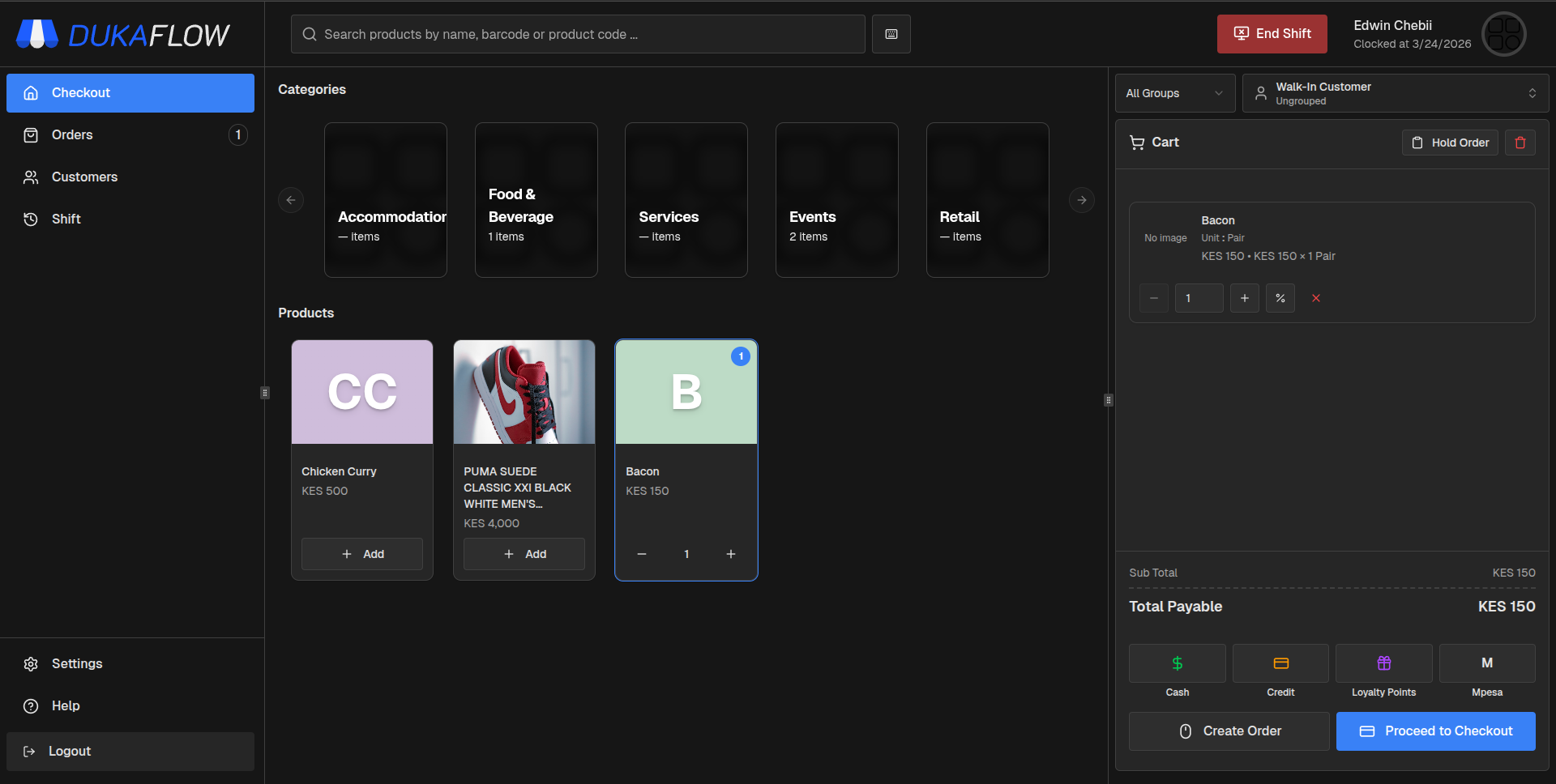
Capture M-Pesa C2B and STK Push payments directly inside the POS.
The M-Pesa Payments addon links your POS directly to a live Daraja-connected Till or Paybill, lets cashiers trigger STK Push from checkout, and keeps every payment visible with live status updates inside Dukaflow.
Real-time C2B capture from Safaricom callbacks
STK Push prompts sent directly from checkout
Automatic matching to sales, receivables, and customer balances
C2B Capture
Automatic
STK Push
Live in POS

Payment Match
Rules based
Usage History
Tracked
Overview
Bring M-Pesa payment validation and matching into one workflow.
Once a Till or Paybill is linked to a live Daraja app, Dukaflow can receive Safaricom notifications, validate usage rules, and surface usable payments instantly at checkout. That gives your team one clear payment flow instead of manual transaction code checks.
Capture incoming customer payments in real time as soon as Safaricom notifies your Daraja app
Match payments automatically to sales, receivables, or customer balances using rules you configure
Prevent incorrect references, duplicate usage, and invalid payment application with strict validation controls
Link tills or paybills to specific outlets for cleaner reporting and reconciliation
This addon works best when each Till or Paybill has its own live Daraja application, Consumer Key, Consumer Secret, official shortcode, and STK Passkey available for setup.

Callbacks
Auto registered
Outlets
Mapped to tills
Setup Guide
Go live with Daraja-backed tills and STK Push in a few clear steps.
After Safaricom activates your Daraja app, the rest of the setup happens inside Dukaflow. Callback URLs are registered automatically when a Till or Paybill is saved, so your team can focus on outlet mapping, payment matching, and cashier workflows.
Confirm that Daraja is live with C2B and STK Push permissions, your Consumer Key and Secret, STK Passkey, and official shortcode
Open Settings and enable the M-Pesa Customer to Business addon before adding each Till or Paybill
Assign the Till to the correct outlets, choose the matching POS payment method, and select where M-Pesa can be used across sales, receivables, or customer top-ups
Configure validation, automatic amount matching, split-payment behavior, and then test with a small STK Push after go-live
Because callbacks are registered automatically when a Till is saved, most setup errors come from incomplete Daraja activation rather than POS configuration.

Checkout
Faster
Reconciliation
Cleaner
Checkout Experience
Speed up checkout without losing control of payment quality.
At the counter, cashiers either send an STK Push or pick from payments already captured from Safaricom. Dukaflow validates the payment, checks remaining balance and usage rules, then applies it instantly to the sale.
Cashiers choose the M-Pesa method linked to the correct Till or Paybill at checkout
Existing payments appear automatically, and STK Push results update live inside the POS
Only verified payments with usable balance can be applied, which reduces errors and disputes
Every used payment remains linked to sales, invoices, and balances for easier day-end and month-end reconciliation
The addon requires internet connectivity because Daraja callbacks and STK Push communication depend on live Safaricom responses.
Start Selling with Dukaflow
Run your counter with speed, clarity, and full control.
Fast checkout, real-time inventory visibility, and a system your team can learn quickly and rely on every day.