Addon / Sales
Reward repeat customers automatically without tracking points by hand.
Dukaflow handles loyalty behind the scenes so your team can reward repeat buyers consistently, apply redemption rules at checkout, and keep a full record of how balances move over time.
Automatic loyalty account creation for real customers
Configurable earning, redemption, and credit-sale rules
Expiry, balance history, and redemption logs kept in sync

Points Awarded
Automatic
Redemptions
At checkout

Accounts
Auto created
Walk In Sales
Can be linked
How It Works
Create loyalty accounts automatically and keep balances accurate.
When a real customer is used on a sale, Dukaflow creates and maintains a loyalty account for that customer automatically. Earning rules, customer eligibility, and balance behavior all stay controlled by the addon instead of spreadsheets or manual notes.
Create one loyalty account per eligible customer and ignore system defaults such as Walk In unless the cashier links the sale to a real customer
Calculate points using your configured earning rate, rounding rules, and discount treatment
Decide whether loyalty redemptions can still earn points and how credit sales should behave
Keep all account balances, awards, and redemptions synchronized in the background
This makes loyalty dependable at scale because points are driven by sale rules and customer identity, not staff memory.

Expiry
Per award
History
Fully logged
Key Capabilities
Control earning, redemption, credit handling, and expiry with precision.
The addon gives you rule-level control over how points behave from the moment they are awarded to the moment they are redeemed or expired. That lets you shape a loyalty program that fits your margins and customer experience goals.
Set how much spend earns one point, how rounding works, and whether discounted or redeemed amounts still earn points
Choose whether credit sales award points immediately, only after full payment, or not at all
Enable expiry per award so unused balances can expire without affecting already redeemed points
View complete activity history across Accounts, Earnings, and Redemptions with before-and-after balances
Each award carries its own lifecycle, which makes reporting and customer balance explanations much easier when the program becomes more active.

Redeem
At sale time
FIFO Use
Automatic
Checkout Experience
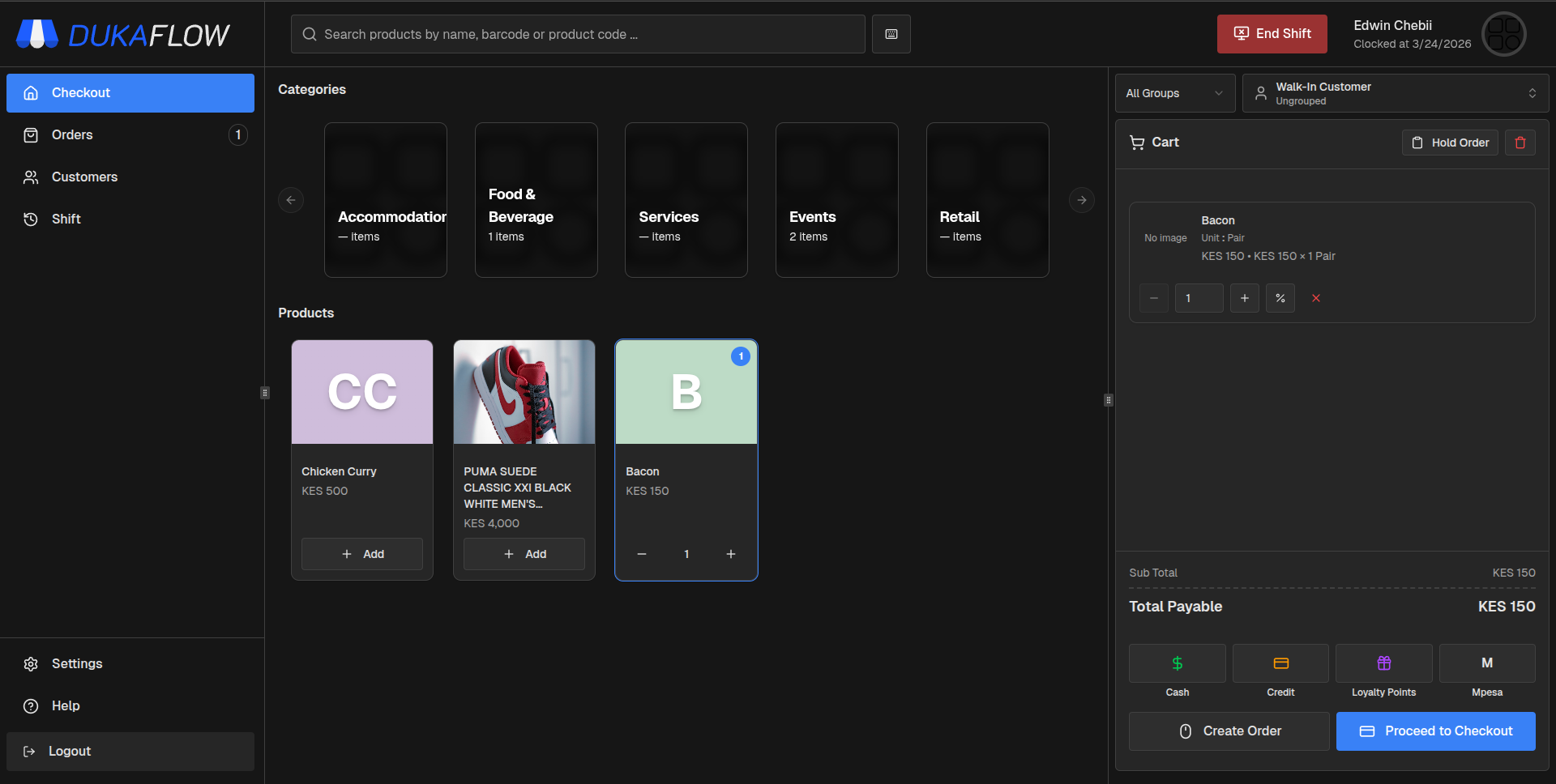
Let cashiers award and redeem points during normal checkout.
At checkout, the addon behaves like part of the sale. Once a customer is selected, points are awarded automatically after the transaction according to your rules, and redemptions can be processed through the loyalty payment method with balance checks built in.
Award points automatically to the selected customer once the sale qualifies under your current rules
Search by phone number when a sale started as Walk In and reassign the points to the correct customer
Use the loyalty payment method to redeem points while the system validates available balance and consumes points in FIFO order
Keep FAQ-heavy edge cases covered, including partial balances, multiple awards with different expiry dates, and credit-sale timing rules
The result is a loyalty program that feels simple for cashiers but remains transparent and auditable for the business.
Start Selling with Dukaflow
Run your counter with speed, clarity, and full control.
Fast checkout, real-time inventory visibility, and a system your team can learn quickly and rely on every day.